
The standards
In the Common Core standards for fourth grade, students need to "compare and contrast the point of view from which different stories are narrated, including the difference between first and third person narrators." This standard is pretty comprehensive! Not only do my students need to be able to identify first and third person narrators, but they also need to explain how narration techniques impact a story.
This is a pretty tall order for students who are still having trouble separating content from structure.
Identification
Of course, the first part (and the easy part!) is to teach students how to identify different points of view. I first wrote about this two years ago, in "Teaching Point of View". This year, I made a PowerPoint presentation to introduce the topic for students:
Side note: I know that everyone in the technology world hates PowerPoint. But I love using this medium to highlight different aspects of text. Putting large text on the screen for everyone to see and talk about gets students engaged. Adding interesting pictures makes the conversations even better!
Simple introductions
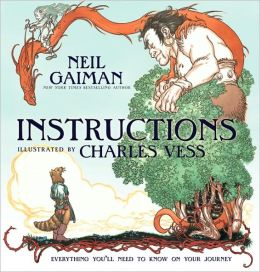 I have some go-to books for introducing point of view. Bigmama's and Shortcut, both by Donald Crews, are two of my favorites. These include the first-person pronoun "we", which is important for students to see, and are quick reads. I also read Instructions by Neil Gaiman, which is told in second person. For each story, we talked about the point of view and how we could figure it out from the pronouns used in the book.
Looking back at familiar stories
After students could identify first and third person with reasonable accuracy, I had to move students to the next level--being able to really consider how the use of different narration styles impacts a story.
To do this, we looked back at the stories that we had already read through the year. This year I have been having students keep each text we use in their reading binder. I love this technique because familiar texts are always at our fingertips, ready for discussion. Students formed self-selected discussion groups, each focusing on one story that we had already read. They had two questions to discuss:
-What is the point of view of the story?
-How does this point of view affect what we know about the characters and the events?
 As students talked, I circulated to hear their conversations. These formative activities are vital for me as a teacher, because it helps me to see what knowledge is in the classroom. From this conversation, I was able to see that students could identify point of view, but didn't have much to say about how the point of view affects the reader's knowledge. My next steps were clear!
Shifting points of view
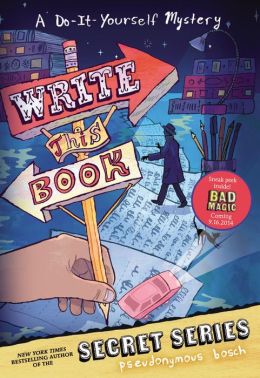
One way to help students have this conversation was through read-alouds. Write This Book by Pseudonymous Bosch sparked some interesting discussions regarding first and second person points of view.
 I also shared a story written from multiple points of view. A retelling of Stone Soup, this story uses first person throughout, but switches between characters. (I hope to make this story available in the near future. In the meantime, please write to me if you would like a copy.) This style was a challenge for readers! They read it on their own for the first read, and then we assembled together to discuss it. I modeled how to use information in the text to draw the different narrators and characters, which would help us to track the story.
Drawing the narrators had the secondary benefit of helping students to discover that the characters are referred to by multiple names. "Oh, I thought that Louise was a totally different person!" one student exclaimed. I love it when students are able to verbalize their changing comprehension. (For more on multiple referents, you can check out The Forest AND the Trees: Helping Readers to Identify Details in Texts and Tests.)
Next Steps
As we looked at how the characters' thinking changed from the beginning of the story to the end of the story, I came to an interesting realization. In general, my students are having trouble with the role of character thoughts in first person text. They don't see that, in first person narration, a character's thoughts infuse the entire text. When tasked with looking for an example of a character's thinking, they were trying to find an explicit marker like "I thought". This realization is shaping my planning for next week. What can I expect from 9 and 10 year olds? How can I scaffold them to expand their understanding?
Books and More
Thinking about point of view has made me look at every book in a new way. I started a Point of View board on Pinterest to share different books and how they can be used to consider point of view.
Notes
-US Leveled Geography readings are coming! Last year, I wanted to add a social studies component to my fluency instruction. As a result, I wrote texts for each region, carefully leveled at fourth, third, and second grades. So far, I have the Northeast, Midwest, and South prepared. Check them out!
-I've updated formatting on Thanksgiving Reading Activities and Centers.
-January 2015: You can find "Stone Soup" in my new activity set, "Exploring Point of View".

